Cachet for Communities
Give your community a home
Give your chapter, club, or alumni group a member directory with names and faces, a calendar on every phone, and private forums for small circles.
Cachet for Communities
What your community gets
Directory and calendar together
Cachet Connect puts your member directory with names and faces and group calendar on every member's phone.
Closed circles for small forums
Private forums for six to nine people stay closed to everyone outside the circle, including your chapter's own staff.
Your badge on member cards
Members carry your community's badge directly on their Cachet Card whenever they introduce themselves.
Member invites with approval
Members can invite fellow members when your community allows it, and administrators approve every addition.
One sign-in
One sign-in for community and work
Members like Elena Marsh, chief executive of Marlowe Travel, use one sign-in to move between Forum 7, their company team, and their boards.
The chapter directory, and the chapter calendar on her phone.
A closed circle of eight, with its own calendar and notes.
Her work card wears the company design, and her team opens one deck at every conference.
Across the family
Apps for your community home
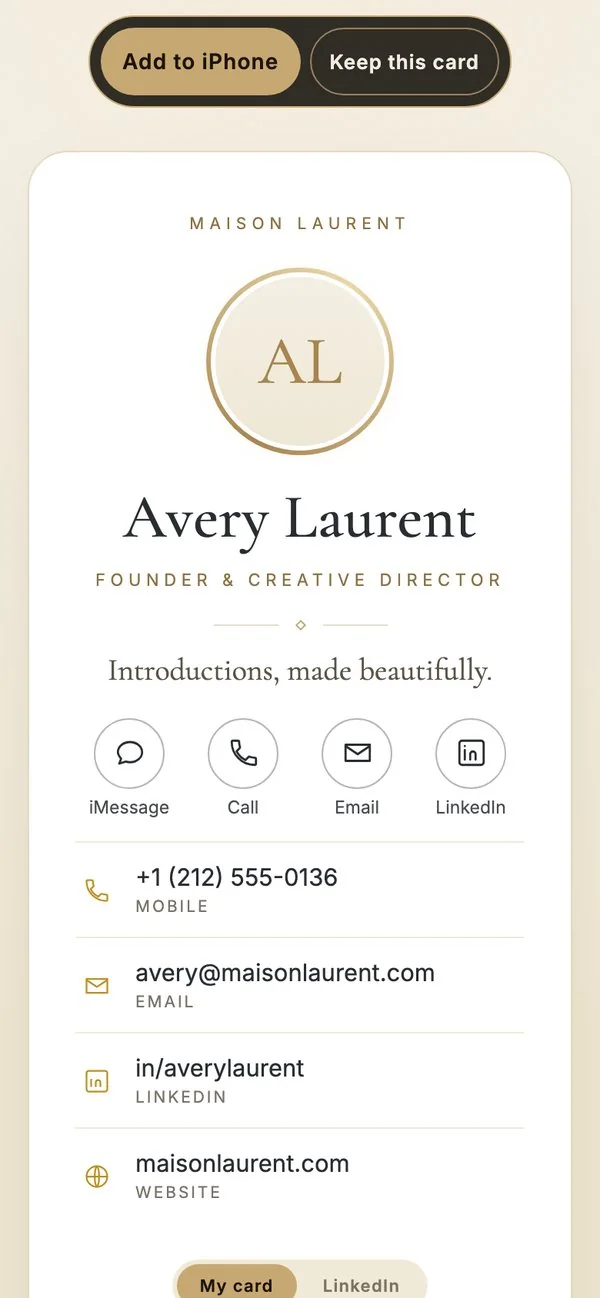
Cachet Card
Your badge on every card
Members carry your community's badge on their own Cachet Card, and the people they meet can add it to an iPhone or keep it.
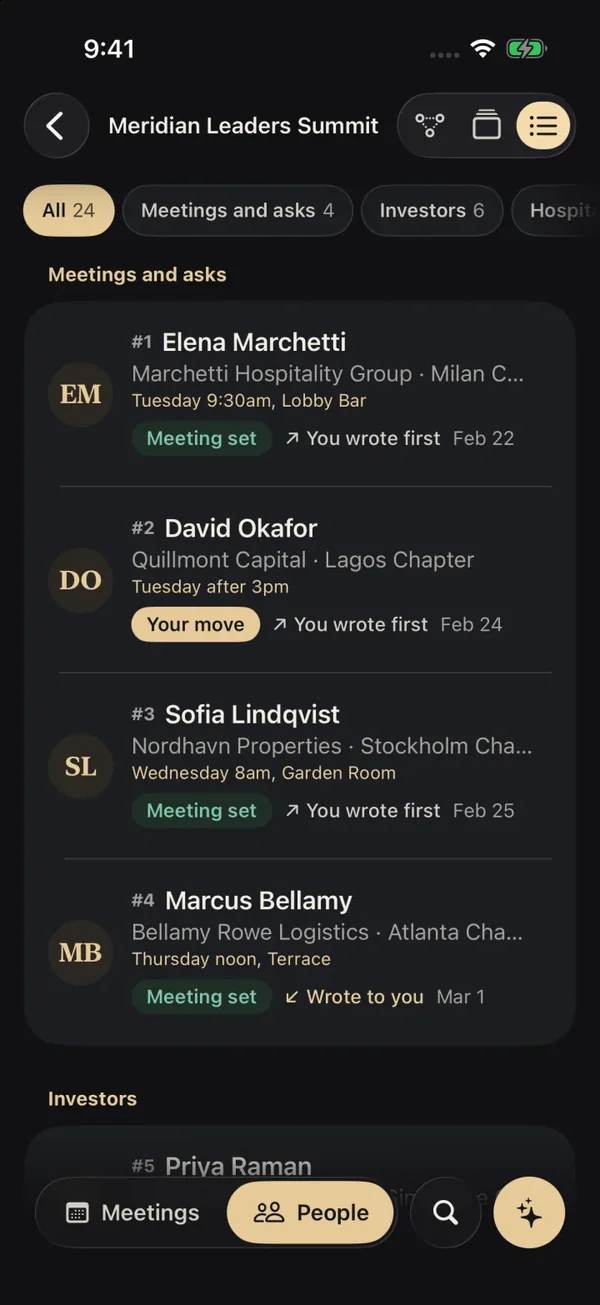
Cachet Conference
Know who to meet at events
Members open a ranked deck of everyone attending with a brief on why they matter, how to open, and what they want.

Cachet Invite
Fill the room for every dinner
Hosts send engraved invitations with one-tap replies and keep a guest list that remembers who came to each dinner or gathering.
How to start
Your community, set up with you
- 1
Start a conversation
Tell us about your group and how members join it.
- 2
We open your home
Your directory, calendar and badge, ready in Cachet Connect.
- 3
Invite your members
Members invite members, and your administrators approve.
Your community can stand on its own or sit inside a larger organization. Start a conversation with the studio and we open your home with you.
Questions
Questions, answered
Who can see inside a private forum circle?
Private forums for small circles of six to nine people are closed to everyone outside that circle, including the chapter's own staff and general administrators.
Can our community stand alone or join a larger organization?
Both options are supported. Your community can stand on its own as an independent club or alumni group, or sit inside a larger parent organization.
How do new members join the community?
Administrators manage the roster directly. When your community allows member referrals, existing members can invite peers for an administrator to approve.
What do members see on their phones before an event?
Members open Cachet Conference on their phones to see the event guest list and a brief on each person attending.

Cachet for Communities
Start with your directory
See Cachet Connect, or tell us about your group and we set it up with you.
Cachet for teams Cachet for organizations All of Cachet Suite
Cachet is the family of apps from Epiphani Studios. Questions go straight to the studio at hello@epiphani.studio.